Hi guys,
I have a HILOOK NVR 104MH-C4. with three cameras connected via POE. I have also obtained a hilook ptz - N24C400I-W-W which is ''connected '' via wifi and managed by the Hilook NVR ( records onto the nvr . I also have the HIK CONNECT APP.
The PTZ camera has a very bright blue ''status light'' beneath the lens , between the IR illuminators. The camera is in an indoor location in a sensetive area where the blue light is causing issues as its so bright.
I have gone through the menus on both the NVR, Hik-Connect App and also via HIKVISION SADP and cannot locate any function to turn it off. The existing Colorvu cameras have a supplemental white light which can be turned off / brightness adjustment but the PTZ camera has nothing...
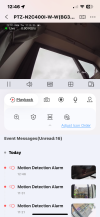
See attached imageds

I have a HILOOK NVR 104MH-C4. with three cameras connected via POE. I have also obtained a hilook ptz - N24C400I-W-W which is ''connected '' via wifi and managed by the Hilook NVR ( records onto the nvr . I also have the HIK CONNECT APP.
The PTZ camera has a very bright blue ''status light'' beneath the lens , between the IR illuminators. The camera is in an indoor location in a sensetive area where the blue light is causing issues as its so bright.
I have gone through the menus on both the NVR, Hik-Connect App and also via HIKVISION SADP and cannot locate any function to turn it off. The existing Colorvu cameras have a supplemental white light which can be turned off / brightness adjustment but the PTZ camera has nothing...
See attached imageds