onlynickw
New Member
- Messages
- 4
- Points
- 3
I have four cameras 2 x DS-2CD2387G3-LIS2UY/SL (V5.8.30 build 251210) and an Annke I91DB (rebadged DS‑2CD2383G0‑I) and I91BM and I cannot get the thumbnail previews to appear in the notification area on my Android phone on any of them.
1. Tried three different android phones
2. Tried Hik-Connect and Annke Vision, both latest versions
3. Smart motion definitely enabled on the cameras and IS recording events correctly
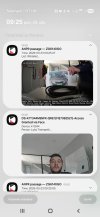
4. I DO get the notifications (text only) and if I tap them it does show me the thumbnail but I want it on the notification area so that it gets sent to my smart watch
5. This used to work some years ago (different camera and phone and app though!)
6. Cameras are set to record pictures on event under Storage - Schedule (and this works)
7. The arming schedule for the events is set to Notify Surveillance centre (which works but text only) and Upload to Memory card
8. Firmware on all cameras is the latest version, but it didn't work before I updated anyway.
9. Cameras are added to Hik-Connect via barcode scan (or serial number)
10. Tried turning encryption off
11. Tried lowering bitrate, resolution, and H.264
12. I'm not blocking eualarm-ocipost.ezvizlife.com anywhere and can see it in a browser on my phone
13. I do see the thumbnails under the Event Messages page in Hik-Connect (but not the playback page, although I think this is correct)
What am I missing? Or has this feature been removed from Hik-Connect or something?
I do have a Eufy doorbell which IS sending the thumbnails through so I know my phone is capable of receiving rich notifications, but the Hikvision notifications are coming through faster so would prefer them.
Help! I've spent days trying to get this to work!!
1. Tried three different android phones
2. Tried Hik-Connect and Annke Vision, both latest versions
3. Smart motion definitely enabled on the cameras and IS recording events correctly
4. I DO get the notifications (text only) and if I tap them it does show me the thumbnail but I want it on the notification area so that it gets sent to my smart watch
5. This used to work some years ago (different camera and phone and app though!)
6. Cameras are set to record pictures on event under Storage - Schedule (and this works)
7. The arming schedule for the events is set to Notify Surveillance centre (which works but text only) and Upload to Memory card
8. Firmware on all cameras is the latest version, but it didn't work before I updated anyway.
9. Cameras are added to Hik-Connect via barcode scan (or serial number)
10. Tried turning encryption off
11. Tried lowering bitrate, resolution, and H.264
12. I'm not blocking eualarm-ocipost.ezvizlife.com anywhere and can see it in a browser on my phone
13. I do see the thumbnails under the Event Messages page in Hik-Connect (but not the playback page, although I think this is correct)
What am I missing? Or has this feature been removed from Hik-Connect or something?
I do have a Eufy doorbell which IS sending the thumbnails through so I know my phone is capable of receiving rich notifications, but the Hikvision notifications are coming through faster so would prefer them.
Help! I've spent days trying to get this to work!!


 )
)